SMS from Altegio - appointment reminders
Altegio is an online booking system for beauty salons, clinics, barbershops and fitness centres. Connect SMS.MD to send automated appointment reminders, confirmations and marketing messages to your clients. Direct connections to Moldcell, Orange and Unite — 99.8% delivery rate.
Appointment Reminders
Automatic SMS to clients 1–24 hours before their visit — reduces no-shows by up to 40%
Booking Confirmations
Instant SMS when a booking is created — via widget, social media, or the front desk
Changes & Cancellations
SMS when an appointment is rescheduled or cancelled — clients are always kept in the loop
Marketing Campaigns
Bulk SMS to your entire client base — promotions, new services, and special offers
Altegio charges providers an additional platform fee, which is why the rate is higher than the standard sms.md price. Only messages accepted by the carrier for delivery are charged.
How to Connect Altegio to SMS.MD
Setup takes about 10 minutes. Once configured, Altegio will automatically send SMS messages to your clients through SMS.MD.
-
Find SMS.MD in the Altegio Marketplace
Go to the Integrations section in the Altegio sidebar. Find the SMS.MD app in the "SMS Aggregators" catalog and click "Connect".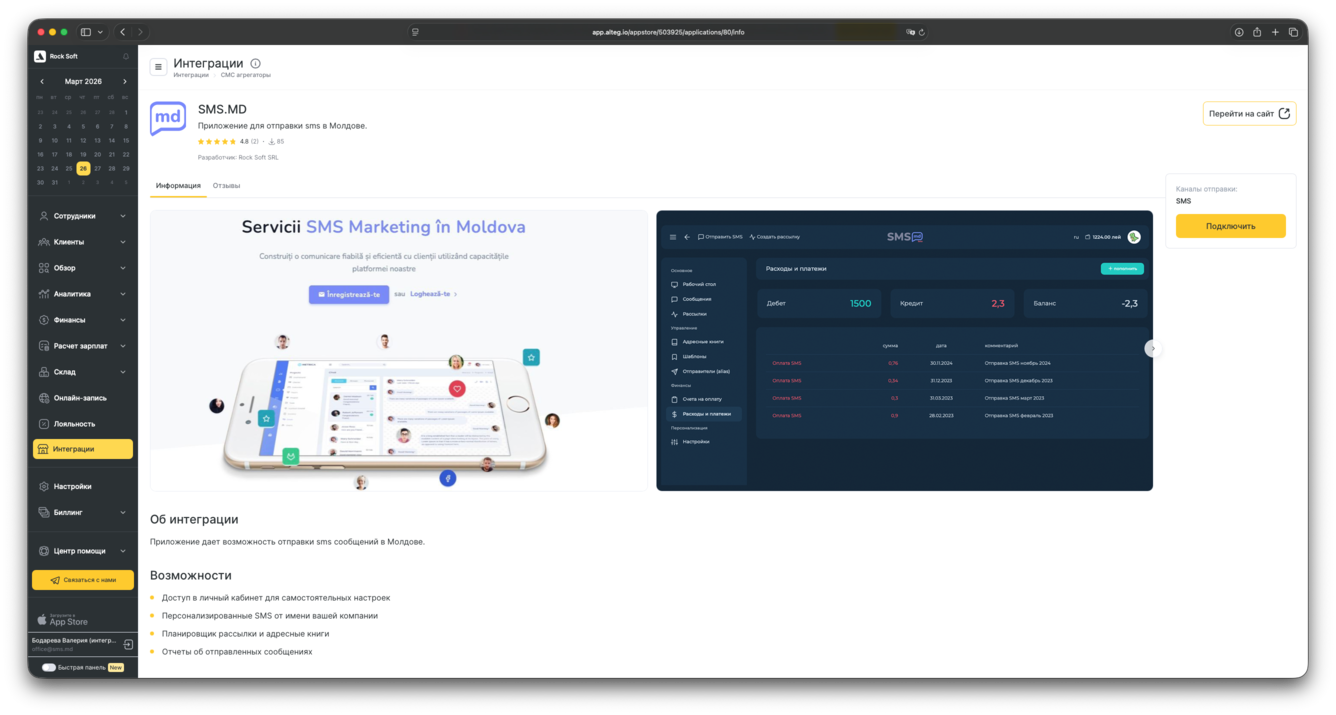
-
Select Branches
Choose which branches of your business should have the integration enabled. You can select all branches or only specific ones. Click "Next".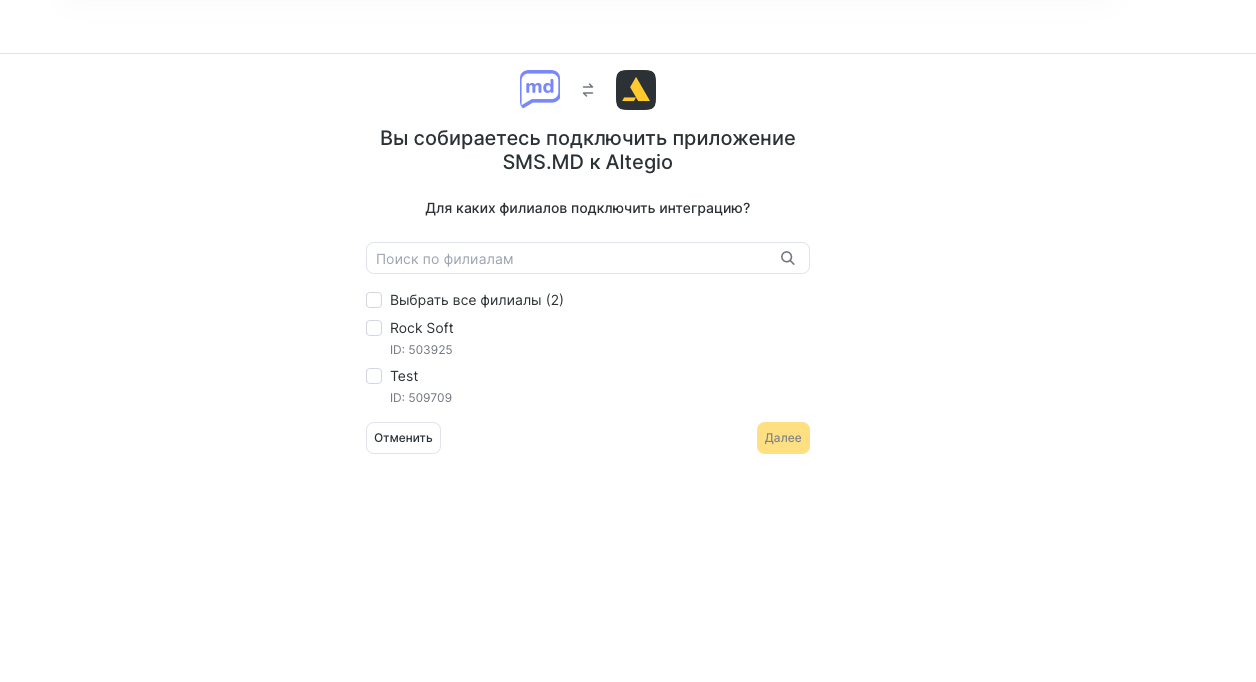
-
Configure the Sender Name
On the "SMS Settings" tab, choose the sender name that clients will see on incoming messages. Click "Save", then "Continue" to complete the setup.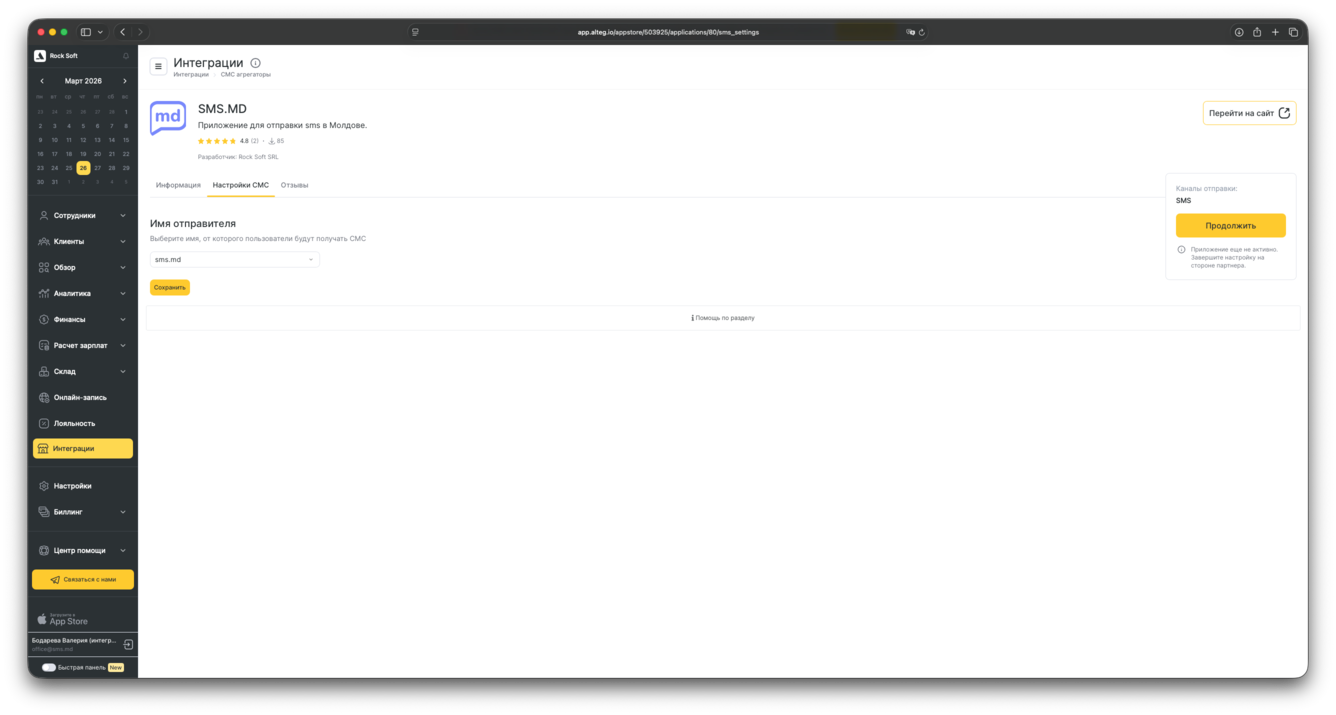
-
Enable the Notifications You Need
Go to Settings → Notifications and activate the SMS types you want: appointment reminders, booking confirmations, review requests, birthday greetings, and more.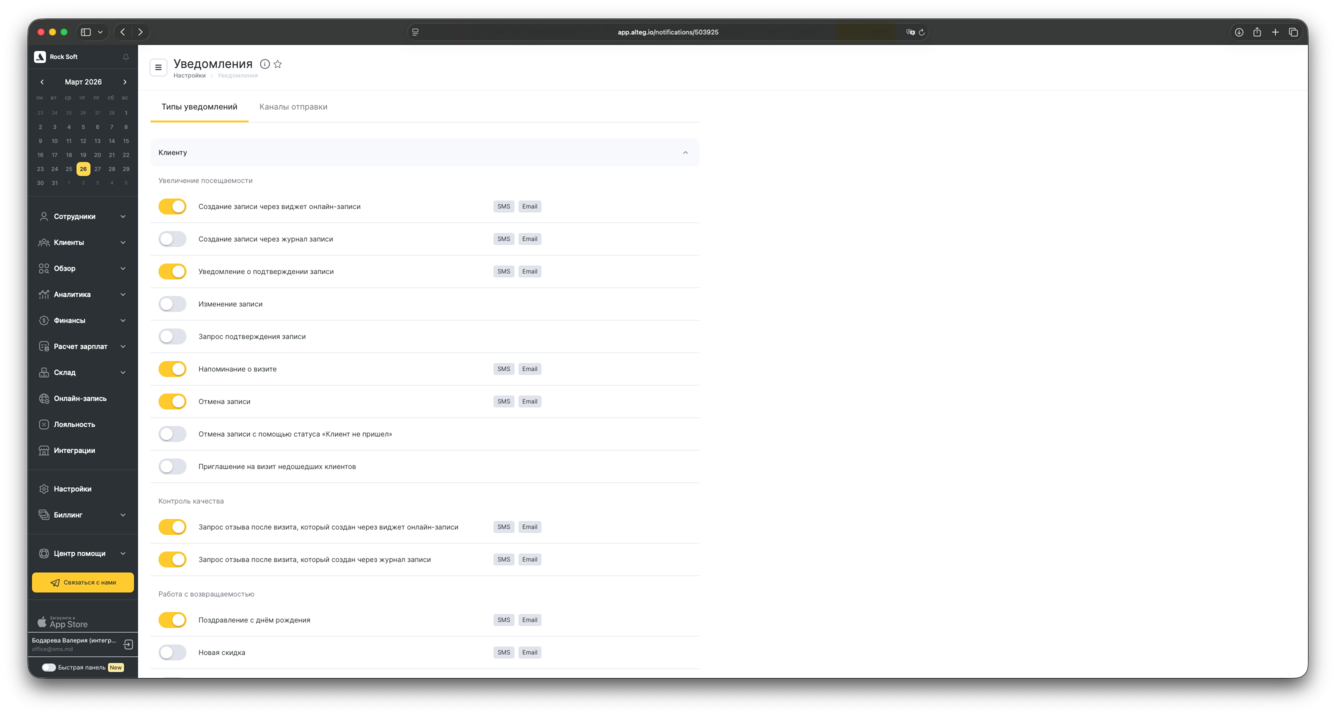
Important: The sender name must be registered with Moldovan mobile operators before you start sending. SMS messages with an unregistered sender name may be blocked at the carrier level. Our support team will help you through the registration process.
Notification Types in Altegio
Altegio supports more than 20 notification templates. You can enable or disable each type, edit the message text, and set the exact send time:
- Booking confirmation — sent immediately when an appointment is created through any channel
- Appointment reminder — 1 hour, 24 hours, or any custom interval before the visit
- Appointment reschedule — notification when the time, date, or specialist changes
- Appointment cancellation — instant SMS when a booking is cancelled by the client or administrator
- Staff notification — the specialist receives SMS about new, modified, or cancelled bookings
- Review request — automatic SMS sent after a configurable delay following visit completion
- Bulk campaign — promotions and offers sent to your entire client base or a selected segment
SMS or Push Notifications?
Push notifications in Altegio are free, but require your client to have the mobile app installed. SMS reaches any phone — no app needed, no internet required, no dependency on device settings.
SMS.MD delivery rate is 99.8%, with an average delivery time of under 5 seconds. For reminders sent an hour before an appointment or urgent confirmations — SMS guarantees your client gets the message. Only messages accepted by the carrier for delivery are charged.
Start Sending SMS Today
Sign up, top up your balance, and launch your first campaign within one business day.
For legal entities in Moldova only · Minimum deposit 500 MDL · No hidden fees